
Protecting Your Account & Your Devices
Your Security Matters — and We’re Here to Help

At Sierra Pacific Federal Credit Union, protecting your financial information is a shared responsibility. We use strong security tools behind the scenes — and there are also simple steps you can take to help keep your accounts and devices secure.
This page is designed to help you understand common fraud risks, recognize scams, and take practical actions to protect your mobile device and online banking access.
card cash
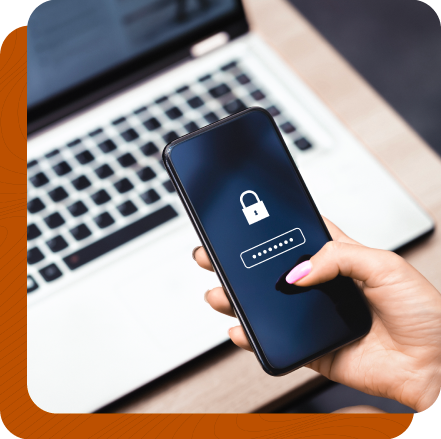
Staying Secure in Online & Mobile Banking
Mobile and online banking are convenient — and secure — when your device is properly protected. Keeping your phone, tablet, or computer up to date is one of the most important steps you can take.
New & Used Auto Loans
We’ve got the budget-friendly options you need for new and used vehicles.
With rates as low as 6.60% APR*, you’re sure to cruise without spending a ton of cash.

Keep Your Device Updated
We recommend regularly installing:
- Operating system updates (iOS, Android, Windows, macOS)
- Firmware updates provided by your device manufacturer
These updates often include important security patches that protect against new threats.
Tip: Turn on automatic updates when available so you don’t miss critical security improvements.


Best Practices for Device Security
To help protect your financial information, we encourage members to follow these prudent security practices:
Use Strong Device Protection
- Enable a PIN, password, fingerprint, or facial recognition on your device
- Lock your device automatically when not in use
Install Security Software
- Use reputable anti-malware or mobile security apps, especially if you install third-party applications
- Only download apps from official app stores
Protect Your Mobile Banking App
- Do not share login credentials
- Log out when finished using mobile banking
- Avoid accessing accounts on public or unsecured Wi-Fi networks
Fraud & Scam Awareness
Fraudsters are constantly changing tactics. Knowing what to look for can help you avoid becoming a victim.
Common Scams to Watch For
- Phishing emails or texts asking for account or login information
- Phone calls pretending to be from a financial institution or utility company
- Urgent messages pressuring you to act quickly or share information
Sierra Pacific FCU will never ask for your full login credentials, PIN, or one-time passcodes.
If something feels suspicious, trust your instincts and contact us directly.


Your Role in Account Security
While Sierra Pacific FCU employs safeguards to protect your accounts, device security begins with the user. Keeping your device updated and protected helps reduce risk — for you and for the credit union.
Working together helps ensure:
- Safer online and mobile banking
- Reduced fraud risk
- Faster response if suspicious activity occurs
What To Do If You & Suspect Fraud
If you believe your device or account may be compromised:
- Stop using the affected device
- Change your passwords immediately
- Contact Sierra Pacific Federal Credit Union as soon as possible
We’re here to help you take the next steps and protect your account.

Need Help or Have Questions?
If you’d like assistance with mobile banking security or have questions about protecting your account, please contact us. We’re happy to help you navigate the tools and practices that keep your information safe.